Renovation visualisation: existing and renovated in the same model
Set insulation, new façade, windows, roof, solar, balcony and heat pump as measures, switch between existing and renovated, and compare both with the swipe slider.
90 points, no payment details, ends by itself.
The short answer
How do I show an owner what the house will look like after the retrofit?
In VEDUTUM the plan is the state after renovation; the measures describe what was there before or what is added. A switch shows existing and renovated on the same model, a swipe slider lays them over each other, and “existing and renovated as image” computes two images from the same camera as a variant set. Seven measures are available, from insulation to heat pump.
Facts from the software
- Measures: insulate the façade, new façade, replace windows, re-cover the roof, solar on the roof, add a balcony, outdoor heat pump.
- With insulation the external wall grows by the insulation and the windows sit deeper in the reveal.
- Insulation materials: mineral wool, EPS, wood fibre.
- The second image takes the first as its template, so only what the renovation changes changes.
How to do it
- 01Plan of the houseRead in the plan of the existing building; it becomes the state after renovation.
- 02Set the measuresIn the renovation card tick what happens, and for each measure say what it was like before: old façade, old windows, old covering.
- 03Switch and compareChange between existing and renovated on the stage or drag the swipe slider.
- 04Compute an image pair“Existing and renovated as image” produces two images from the same camera.
- 05Send it to the ownerThe share page shows both images side by side, with a comparison slider.
One model, two states
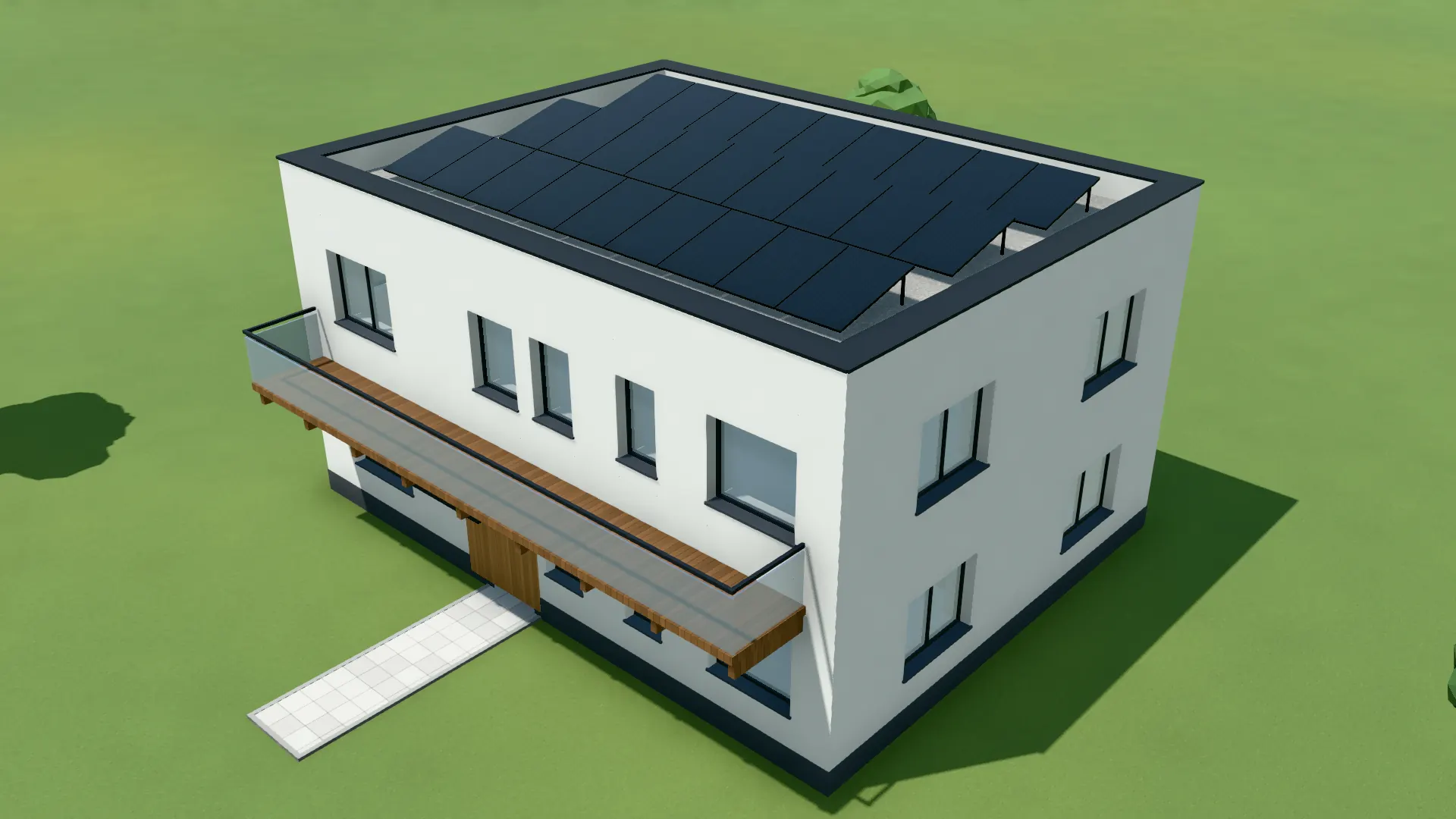
A renovation needs no second model. What changes is a measure on the plan: insulation thickens the external wall, the new façade comes from the façade editor, the modules from the roof tool appear only afterwards. The existing building is the same house without those measures.
Floor plan, camera and light stay the same in both states, and the comparison shows only what the renovation does.
For advice and grant applications
Energy advisers, planners and developers use the image pair to show the house after insulation, new windows and PV before anyone signs. VEDUTUM does not compute grants or savings; that stays with the energy certificate and the adviser.
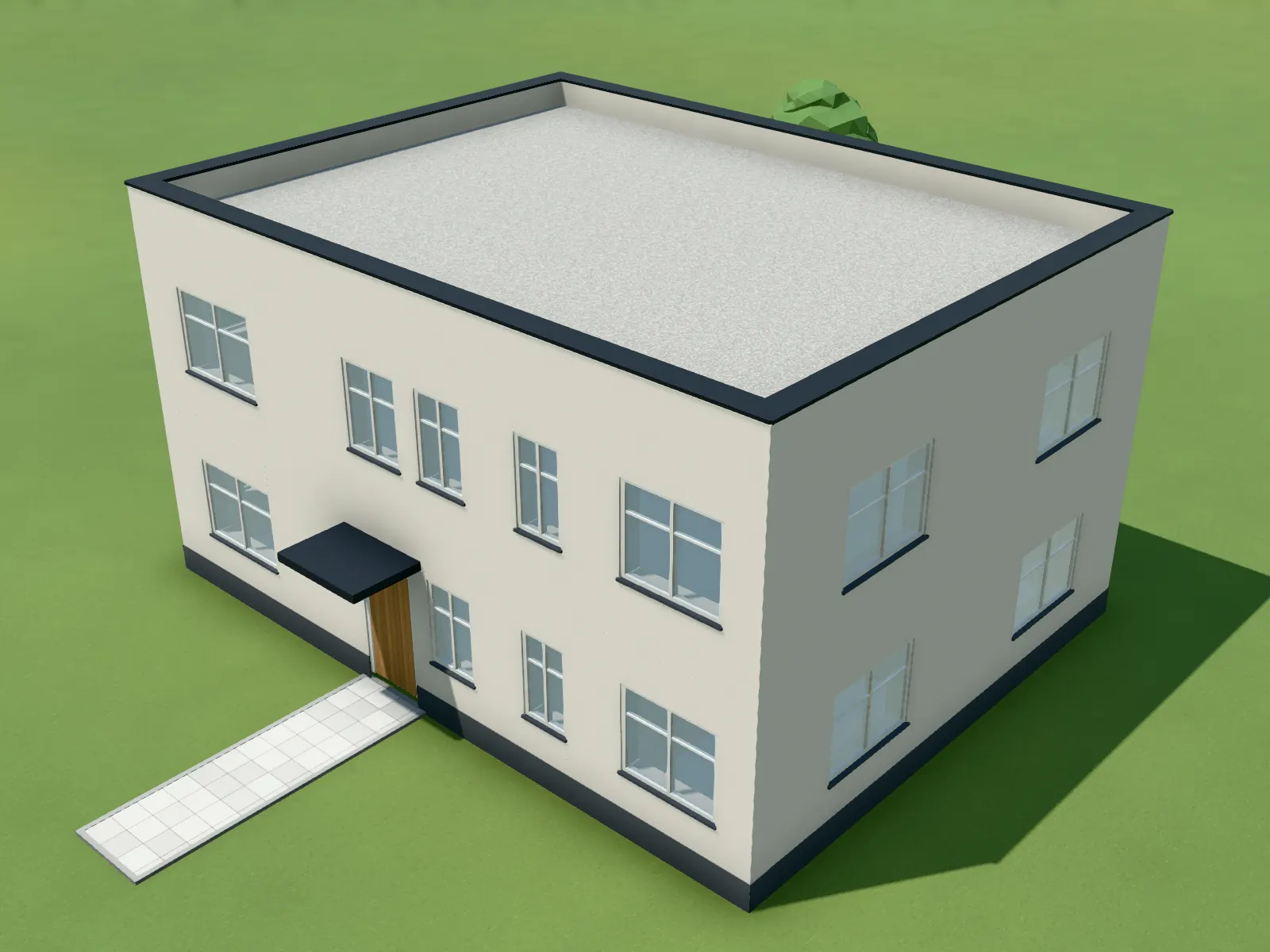
Captured in the software: Existing: old façade, old windows, roof without modules.
Questions and answers
Do I need two plans, before and after?
No. One plan is enough; the measures say what was different before.
Can I use a photo of the existing house?
Yes, with photo montage: the model is aligned over a photo of the plot and only its silhouette is replaced.
Does the software show the insulation thickness?
The external wall grows by the chosen insulation and the reveal deepens. There is no calculation of the insulating effect.
What does an image pair cost?
Two images at the chosen level, so 2, 8 or 16 points. Switching and the swipe slider in the model cost nothing.
Features involved
From the knowledge base
Next step
Show a house before and after
Read in a plan of an existing house and tick three measures.
30 days free with 90 points · no payment details · account in one minute