3D site plan: the house with its neighbours, terrain and garden
Enter the address and load neighbouring houses, streets, trees and terrain from open maps. Then place pool, pond, deck, pergola, hedges and context houses yourself and slide the house onto its plot.
90 points, no payment details, ends by itself.
The short answer
How do I show a building project in its surroundings?
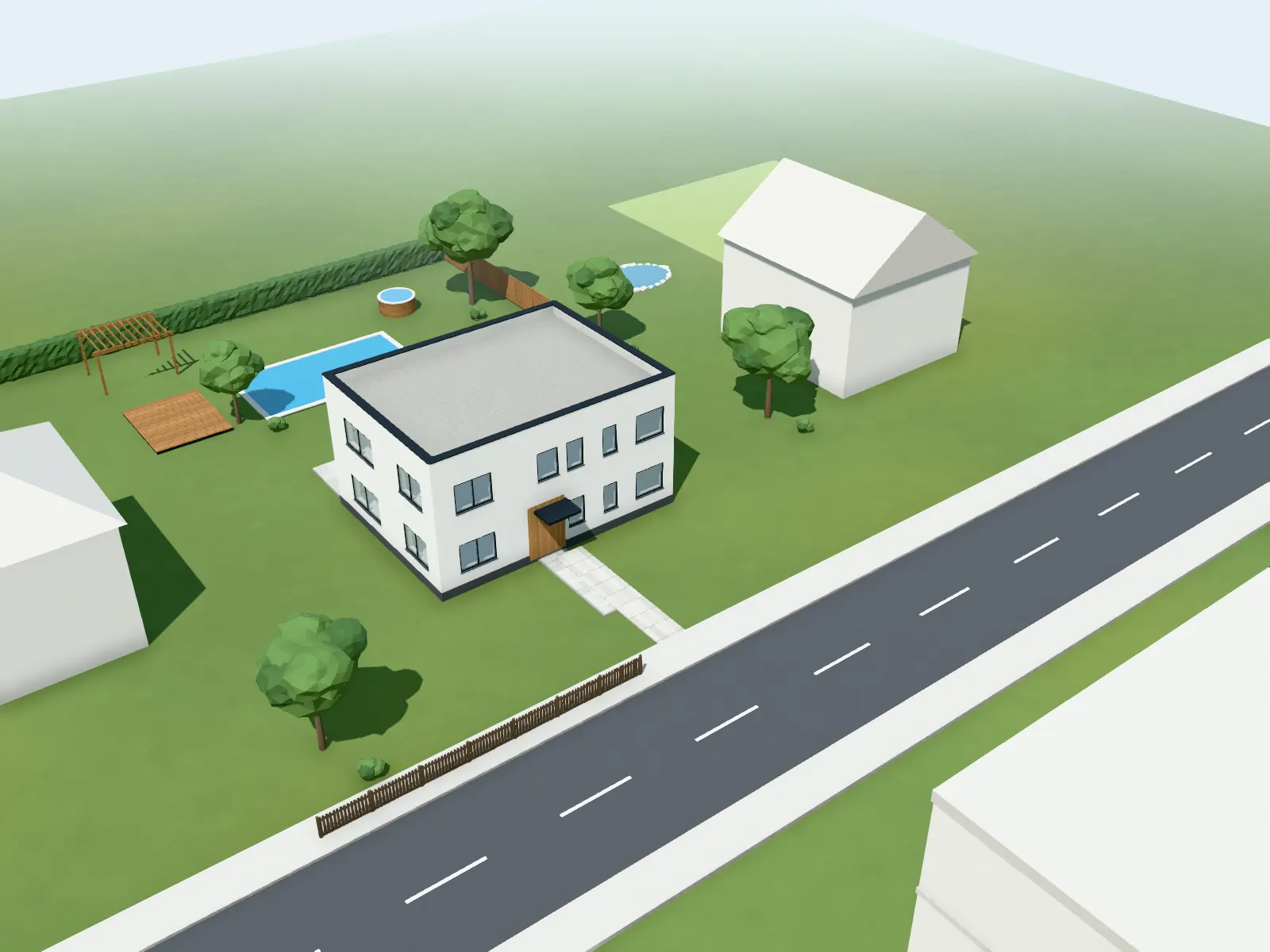
For an address, VEDUTUM loads the neighbouring buildings with roof shape and number of storeys, streets with pavements, trees, meadows and water from OpenStreetMap within 100, 160 or 250 m, plus a terrain model and, in Austria, Switzerland and North Rhine-Westphalia, an aerial image. What the map does not know, you place yourself: context houses, paths, fences, hedges, pool, pond, deck or pergola. Loading costs no points.
Facts from the software
- Neighbours with roof shape and storeys; height = storeys × 3 m where the map has no height.
- Terrain from a 33 × 33 point height grid of the EU-DEM at 25 m resolution.
- Aerial image: basemap.at (AT), swisstopo (CH), in Germany only NRW; otherwise your own upload.
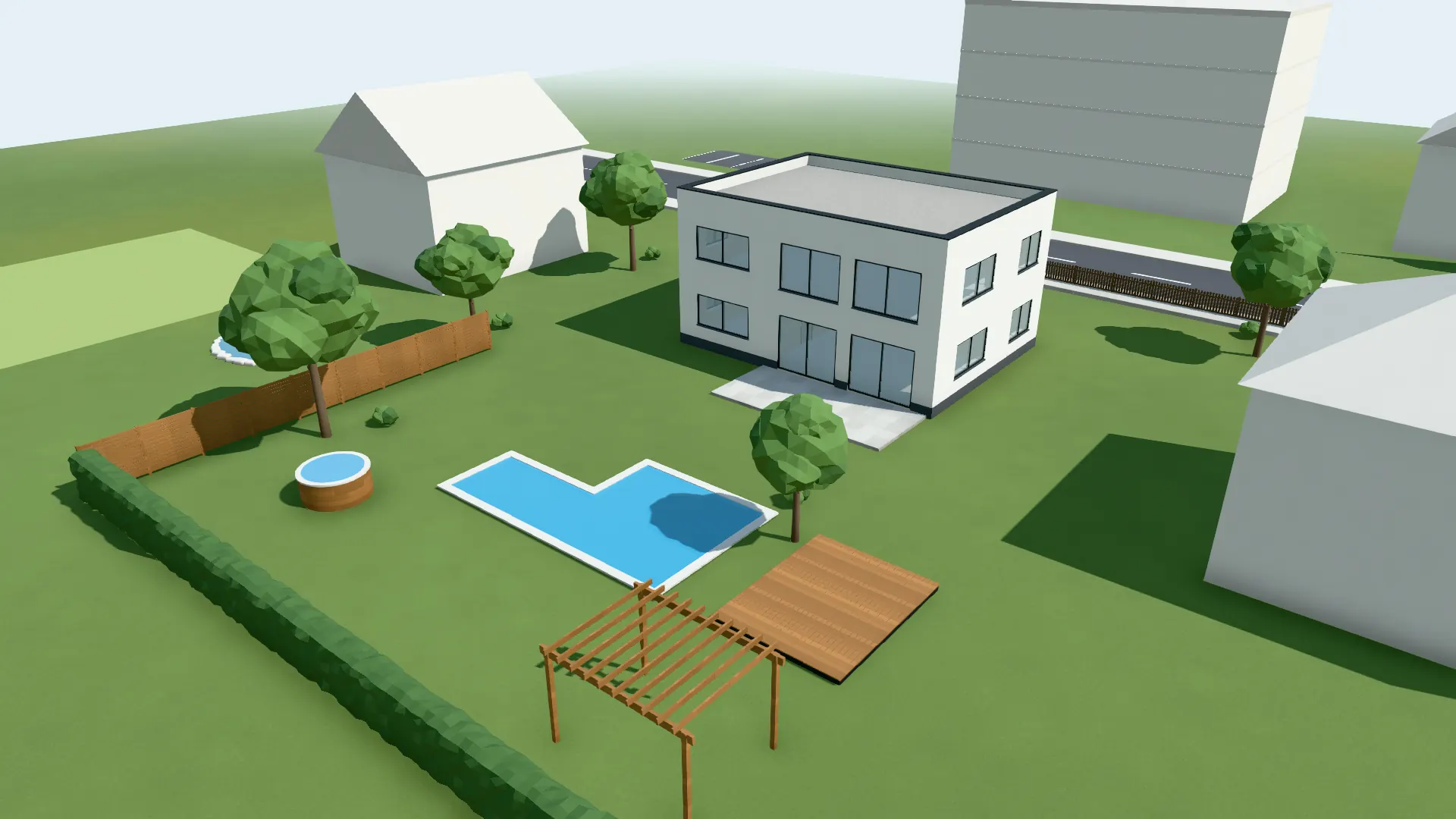
- Placed by hand: detached house, block of flats, terraced houses, office building, road, path, fence, hedge, privacy screen, parking, group of trees, meadow, water, pool in six shapes, hot tub, pond, deck, pergola.
How to do it
- 01Enter the addressIn the plot panel search for the address and choose the radius: 100, 160 or 250 m.
- 02Load the surroundingsNeighbouring buildings, streets, trees and terrain come from open data; you hide whatever stands on the plot today.
- 03Place the house“Place house”: drag the plot under the house, rotate with Shift; the neighbours’ building lines snap.
- 04Add to itWith the surroundings tool (key U) place pool, pond, deck, pergola, hedges and context houses.
- 05Images in contextImages and sun position show the house among its neighbours; the OSM notice stays on the model and the share page.
Context from open data
A single query fetches neighbours with roof and storeys, streets by type and width, single trees, woods, fences, hedges and walls within the chosen square. Neighbours appear light, in a model-making look, so your house stays the centre, and whatever would stand on the new house is cut away.
Terrain and aerial image put the model on its site. The same north angle goes to the sun, so shadows match time and date.
Garden and landscaping by hand
Pool rectangular, L-shaped, oval, kidney, round or drawn freely, with depth; pond and meadow with a free outline; deck, pergola, hot tub. Paths, fences and hedges you draw with nodes round corners. For each piece placed, the image model receives a sentence, so it stands in the right spot in the image.
Captured in the software: House with street, pavement and context houses placed by hand.
Questions and answers
Where do the neighbouring buildings come from?
From OpenStreetMap, through a public Overpass query. The source notice stays on the model and on the share page.
Is there an aerial image for my plot?
In Austria via basemap.at, in Switzerland via swisstopo, in Germany at present only in North Rhine-Westphalia. Elsewhere you upload your own image.
Can I plan a pool?
Yes, in six shapes with depth, plus hot tub, pond and deck. Everything stays outside the house; the software does not let anything be placed inside the building.
Is it suitable for a planning application?
As a visualisation for an application, yes; as an official site plan, no. The planning authority says which drawings it requires.
Features involved
Next step
Put a house on its plot
Enter the address, load the surroundings, place the house. Three steps, no points.
30 days free with 90 points · no payment details · account in one minute