Office layout in 3D: desks, meeting rooms and reception in the model
Have open-plan office, meeting room, reception and kitchenette furnished from the floor plan, check desk rows and walkways in the model and show the client a walkthrough.
90 points, no payment details, ends by itself.
The short answer
How do I plan an office in 3D, with desks by floor area?
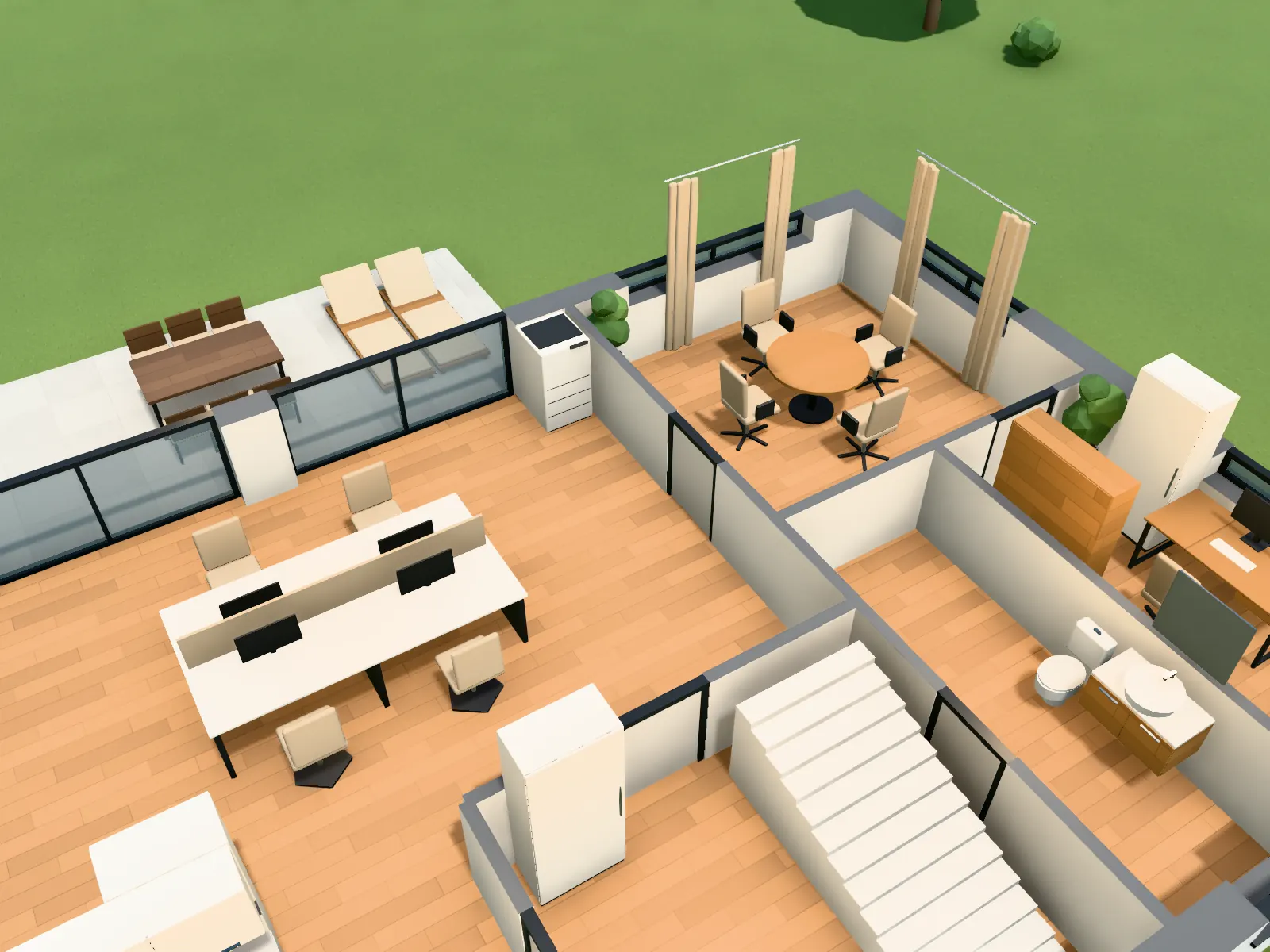
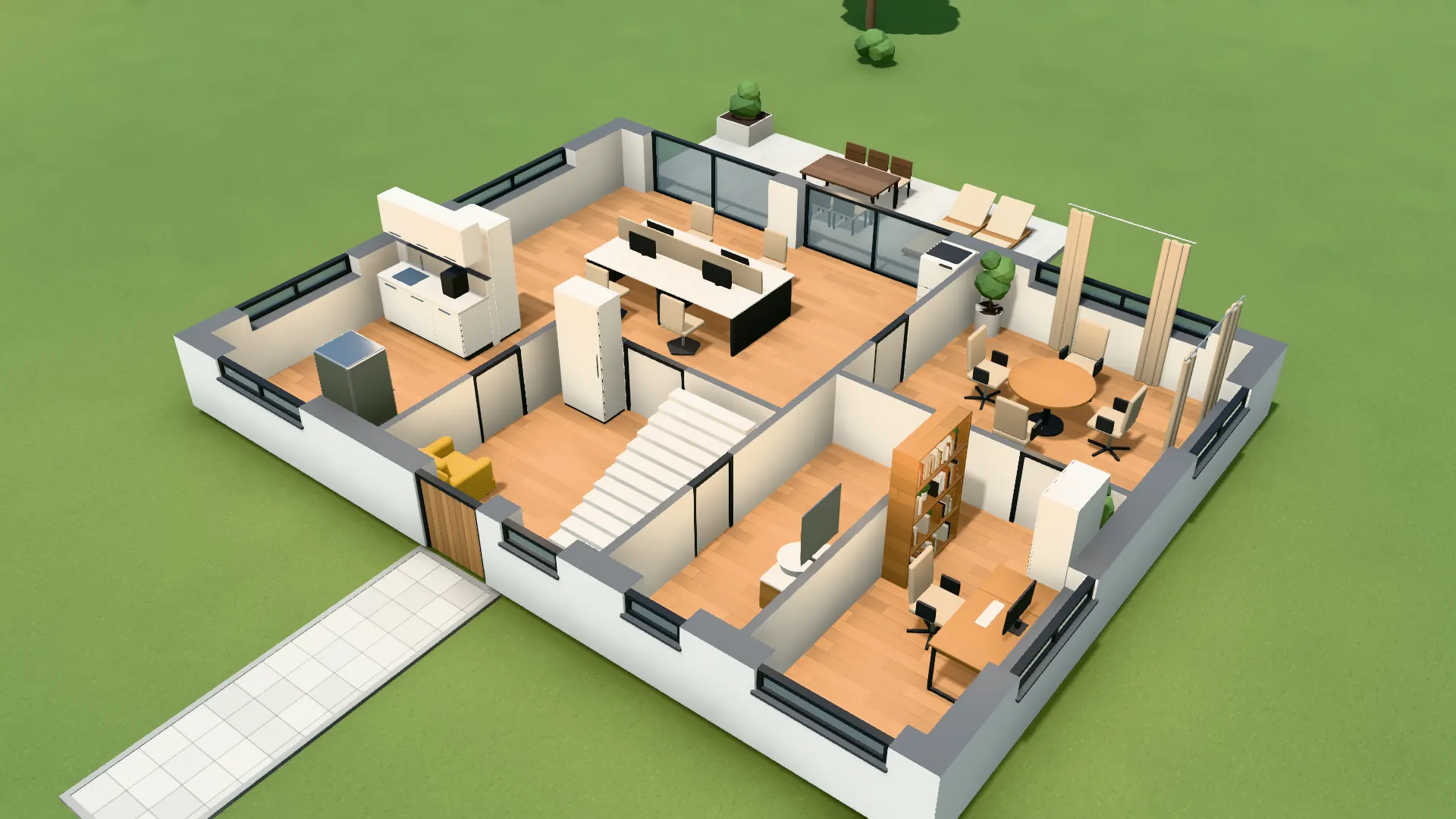
VEDUTUM recognises office rooms by their name: a room of 30 m² or more called “office” becomes an open-plan office, “meeting” a meeting room. Automatic furnishing places four-seat bench desks in rows by room size, picks the largest meeting table for 12, 8 or 6 that fits with a 75 cm margin, and keeps a 90 cm walkway. Afterwards you change any piece in the plan or the model.
Facts from the software
- Office catalogue: four-seat bench, office chair, meeting tables for 6, 8 and 12, conference screen, reception desk, filing cabinet, pedestal, acoustic screen, kitchenette, copier.
- In an open-plan office one filing cabinet per 30 m², six at most, plus a copier and plants.
- Room types for offices: open-plan office, meeting room, reception, kitchenette, study.
- In a meeting room the screen hangs at the end of the table.
How to do it
- 01Upload the floor planThe lettable area or the storey as PDF; the recognition reads walls, doors and room names.
- 02Set room typesWhere the name says nothing, choose the type: open-plan office, meeting room, reception, kitchenette.
- 03Furnish all rooms“Furnish all rooms” places workstations, tables and cabinets by floor area.
- 04Check rows and walkwaysWalk through the floor in the model, move or copy desk rows, add screens.
- 05Show the clientTake a panorama in the room or send a share link on which the client comments in the model.
From the lettable area to a first layout
In an office fit-out the first question is how many desks fit and whether people can still get past. Automatic furnishing gives you a first layout in seconds instead of an afternoon with blocks in CAD.
Each row stays a single piece: you move it, copy it with Ctrl+C and Ctrl+V or rotate it with R. Build mode marks a piece red while it stands in a wall, a door swing or another piece.
Show rather than explain
A client grasps a row of desks faster in a walkthrough than on a plan. From the model you take a 360-degree panorama in the middle of the room, at no cost in points, or compute interior images in which the office furniture replaces the block pieces.
Captured in the software: Open-plan office furnished by floor area.
Questions and answers
How many workstations does the software place?
As many bench rows as fit the room with a 90 cm walkway. The number is not fixed; it follows from the shape and area of the room.
Can I use my own desk sizes?
You drag any piece by its handles to the size you need. Your own 3D models cannot be uploaded.
Does it suit refurbishments of existing offices?
Yes, as long as there is a floor plan. You draw walls and set openings in build mode yourself.
Can the client see it without an account?
Yes. The share link opens the project page in the browser; the client places comments as pins in the model without an account.
Features involved
Next step
Lay out an office floor
Upload a floor plan and let the rooms be furnished by floor area.
30 days free with 90 points · no payment details · account in one minute