Solar panel visualisation: modules laid on the roof automatically
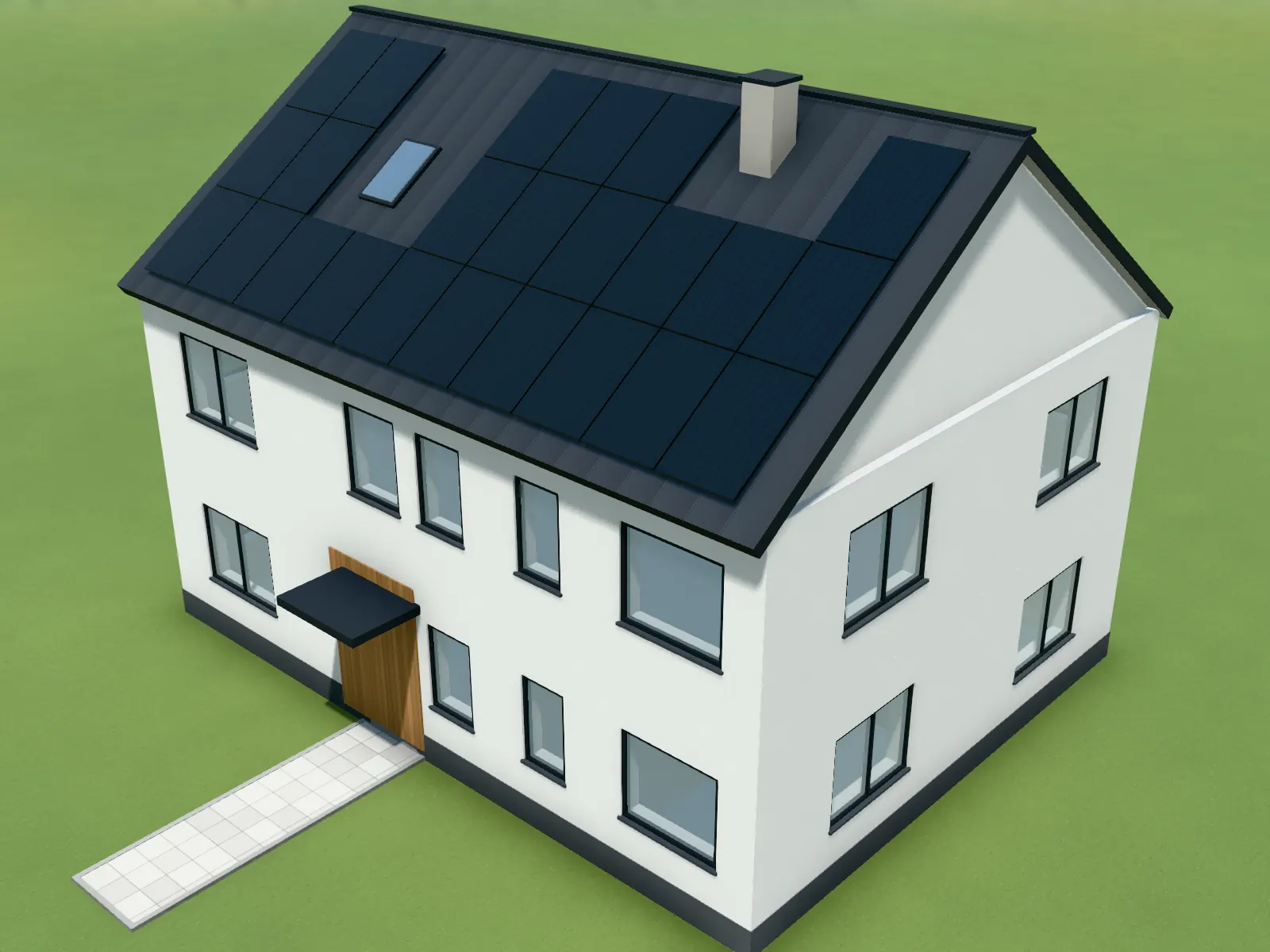
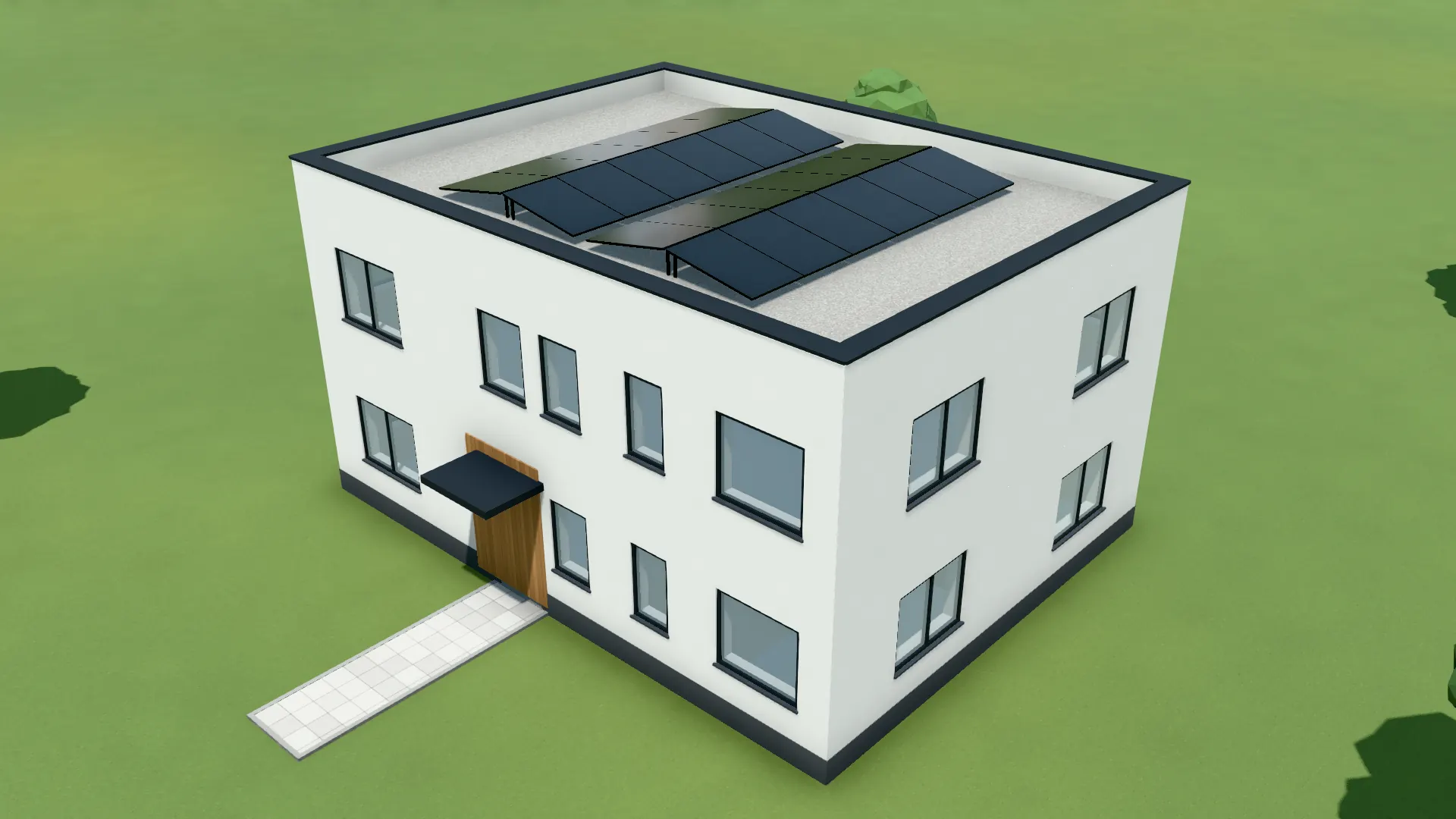
Let PV modules or solar thermal collectors be laid on the roof planes of the model, with edge margins, around skylights and chimneys, on flat roofs on racks facing south or east-west. Green roof included.
90 points, no payment details, ends by itself.
The short answer
What will solar panels look like on my roof before they are installed?
The VEDUTUM roof and solar tool fills the roof planes of the 3D model automatically with modules of 1.134 × 1.722 m or collectors of 1 × 2 m, keeps a margin to the edges and leaves valleys, skylights and chimneys free. On a flat roof the modules stand on racks facing south or east-west. It shows count, area and rated power, not a yield; sun and shadow you see at the site of the project.
Facts from the software
- Modules 1.134 × 1.722 m, 430 Wp per module by default, solar thermal collectors 1 × 2 m.
- No modules over valleys, skylights or chimneys; the edge margin can be set.
- Flat roof: racks facing south or as an east-west tent; a green roof as covering as well.
- Figures: count, area and rated power (count × Wp). No yield, no payback.
How to do it
- 01Model with a roofRead in a floor plan and choose the roof: gable, hipped, shed or flat.
- 02Roof and solar toolIn build mode press P, then choose the roof planes to fill.
- 03Adjust the layoutPortrait or landscape, cell colour and frame, edge margin; take single modules out by hand, place skylight and chimney.
- 04Check the lightDrag date and time and see when neighbouring houses or trees cast shadows on the roof.
- 05An image for the clientCompute the view as an image; in a renovation the modules appear only in the state after.
A layout the way a designer draws it
The roof planes come from the same geometry that builds the roof. A module therefore lies on the covering, not above it or inside it, and an L-shaped outline gets two roofs with a valley over which no module lies.
The count follows from area, format and margin. The rated power is count times watts peak per module; the software claims nothing more.
Shadows at the real site
With the project address come neighbouring buildings from OpenStreetMap and the sun after the NOAA method. You drag the time and see whether the neighbour’s gable falls on the east plane in the morning. A twelve-second day from 7 am to 7 pm can be recorded as a clip.
Captured in the software: PV layout on a gable roof, skylight and chimney left free.
Questions and answers
Can I change the module power?
Yes, the watts peak per module can be set; 430 Wp is the default. The rated power is recomputed from it.
Does it work on flat roofs?
Yes, with racks facing south or east-west. On a flat roof only the green roof works as covering.
Does VEDUTUM compute the yield?
No. It shows count, area and rated power. Yield needs PV software with weather data.
Does laying modules cost points?
No. Laying modules, switching and the sun position cost nothing; only an image from the image model costs 1, 4 or 8 points.
Features involved
Next step
Fill a roof
Open the example house, press P and see the layout in seconds.
30 days free with 90 points · no payment details · account in one minute