In short
SketchUp and Rhino both export GLB directly: in SketchUp via File, Export, 3D Model, file type “GLTF Binary”; in Rhino by exporting to .glb, where materials and textures can be embedded. For VEDUTUM that is the better route than IFC, because GLB carries material and texture while IFC delivers one colour per solid. Watch the units, and watch the mesh density: Rhino exports meshes, not surfaces.
Why GLB and not IFC here
For Archicad, Revit and Vectorworks, IFC is the main route, because those programs know building elements. SketchUp and Rhino model geometry. Both write GLB directly, and GLB is made for exactly that: meshes, materials and textures in one file.
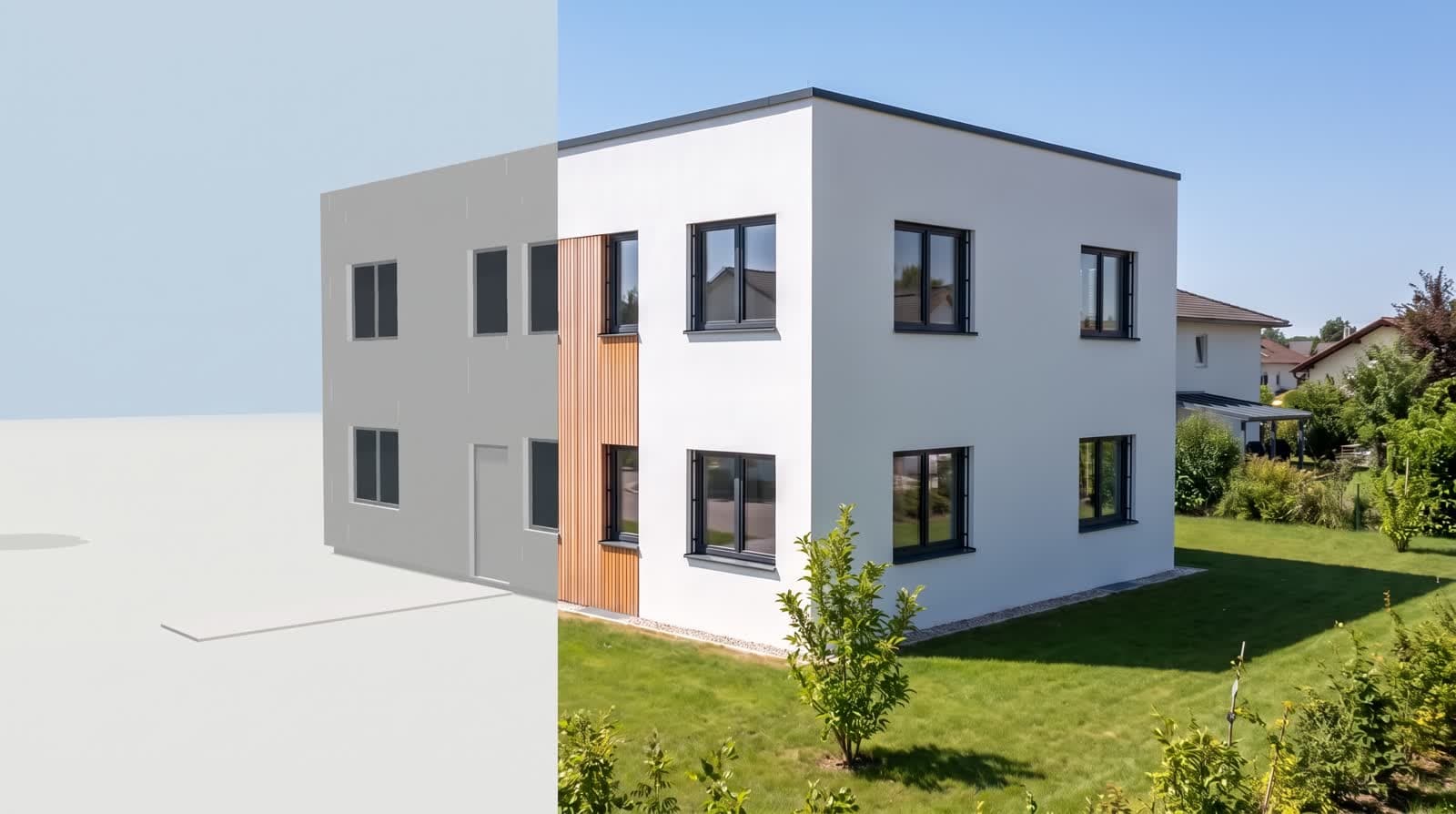
The difference is visible in the result. Over IFC a solid arrives with one colour — the timber façade becomes a brown surface. Over GLB material and texture come along, and the model in the browser looks the way it looks in your program. That holds for the share page too, where your client turns the same model.
SketchUp: units and components
SketchUp exports glTF without an extension these days; the documented route is File, Export, 3D Model and the file type “GLTF Binary File (*.glb)”. Older versions cannot do it — there an extension or a detour through OBJ helps.
Two things are worth a look first. Units: a model in inches arrives in the browser as a house with wrong dimensions, so set the model to metres before exporting. And components: what sits in the model a hundred times over — trees, chairs, fences — doubles the file size and adds little to the image. Hide it before the export.
Rhino: meshes instead of surfaces
On export to glTF, Rhino writes meshes and point clouds; materials and textures can be embedded. So your NURBS surfaces become a mesh, and how fine that mesh is comes from Rhino’s mesh settings.
For a visualisation that is an advantage when steered deliberately: a coarser mesh on the façade does not show in the image, an over-fine one makes the file large. Rule of thumb: fine enough that curved edges look round, and no finer. If the file grows beyond 60 MB, mesh density is almost always the reason — or a furniture package.
What happens on our side
The IFC file is read in your browser, not on our server: web-ifc, an open-source reader compiled to WebAssembly, runs in the tab. It understands IFC2x3 and IFC4 and hands over every solid as a triangle mesh with one colour. What is uploaded afterwards is the GLB built from it — the original file stays on your machine.
So what arrives is the geometry: everything that has a solid in the export, with its colour and its position. What does not arrive: property sets, component names, layers, IFC classes and textures. They are in the file, but nothing draws them. If you need materials and textures, export GLB instead of IFC — that format carries them. The limit is 60 MB per file, and reading costs no points.
What this report is not
We have not run a measurement series over other people’s projects, so we quote no hit rate. Two things are stated here: what our reader takes from an IFC file, which is in our code, and what the program offers on export according to its own documentation. Your own model is the only test that settles it — and it costs nothing, because the import runs in the browser.
Questions and answers
GLB or IFC — what should I send?
From SketchUp and Rhino, GLB: material and texture come along. From Archicad, Revit and Vectorworks, IFC, because those programs do not write GLB as a standard route.
My model is tiny or enormous in the browser.
Then the units are off. Set the model to metres before exporting and export again; in the browser you see the dimensions on the volume directly.
How fine should the mesh from Rhino be?
Fine enough that curved edges look round. Finer only costs file size. If you go beyond 60 MB, mesh density is the first place to save.
Do textures from SketchUp really arrive?
Yes, GLB carries them and we load the file unchanged. What the image model makes of them is a second question: it adds planting, furniture and reflections as a proposal, not as a promise.
Sources
This article also exists in German: read the German version.